
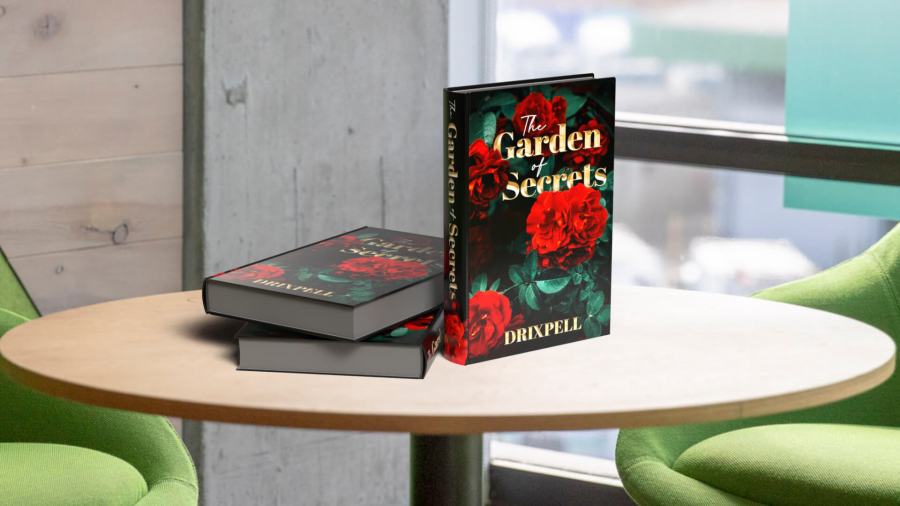
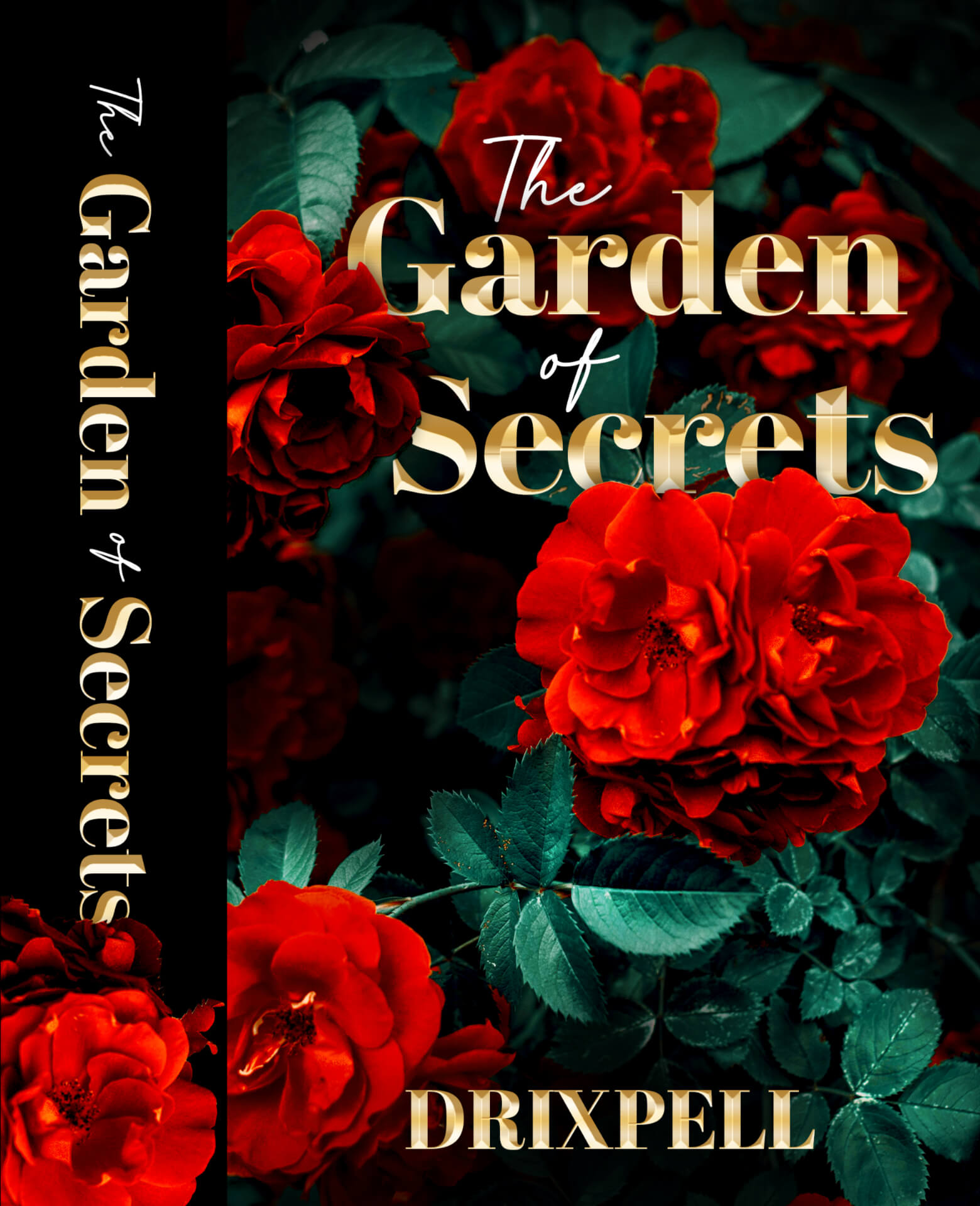
Continuing with the course, in this exercise I created a cover for a romantic novel using Adobe Photoshop, learning more in-depth about the effects applied to images.
I started by looking at examples of other book covers to identify their styles and to take inspiration from. Then I begin creating my own, using a photograph of roses and leaves, placing the corresponding text and laying out the cover.
Next, I retouched the photo by applying color correction effects, tones, lighting, and contrast. I also cut out a couple of roses and paste them in front of the typography, making a scene that looks mysterious. As a final touch, I added styles to the text to give it a beveled and golden effect, and I also included the book spine.
I also did an extra task, this time using the knowledge I had previously gained from Adobe Dimension. I used a book mockup and applied the texture I exported from Photoshop.
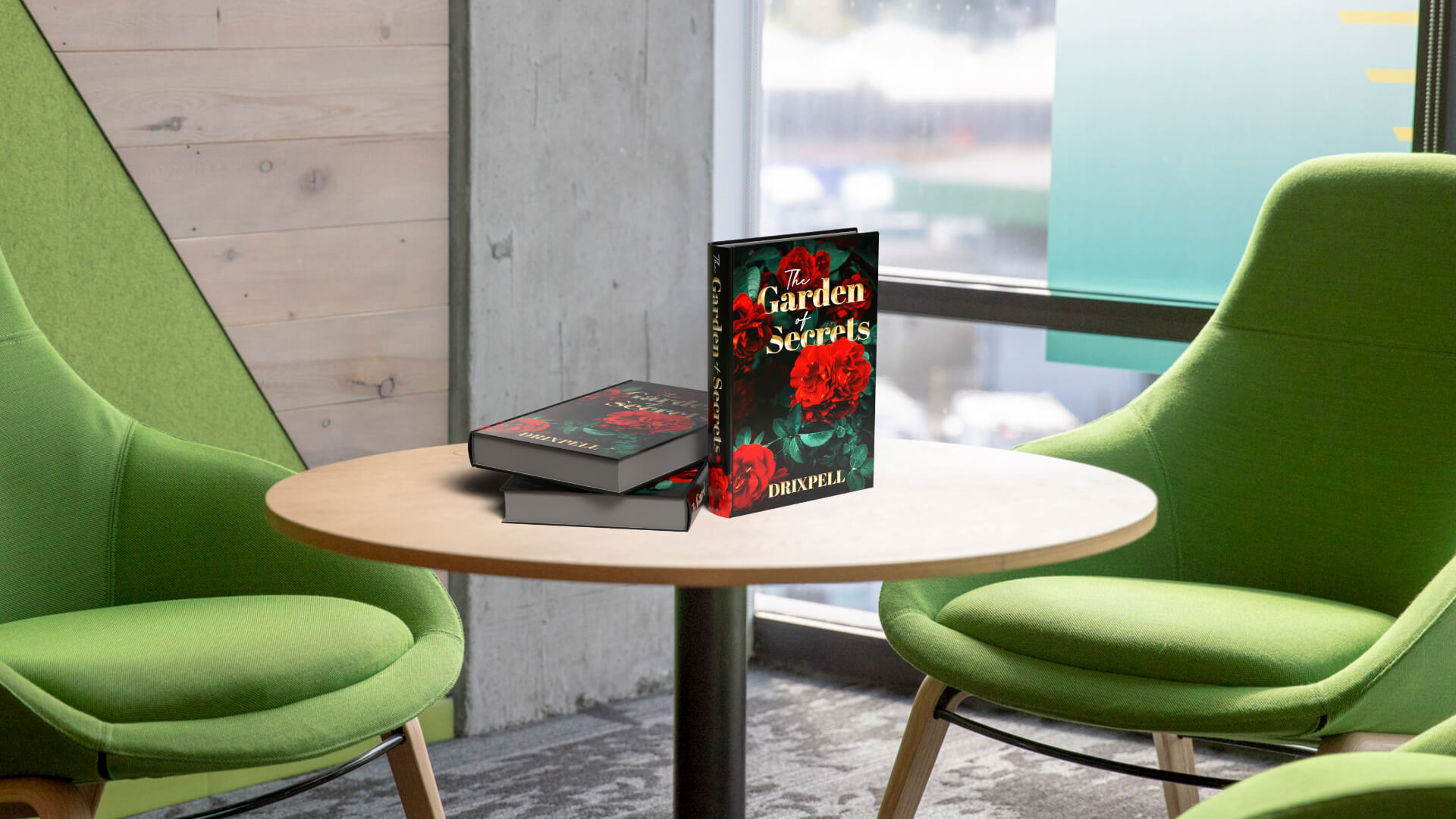
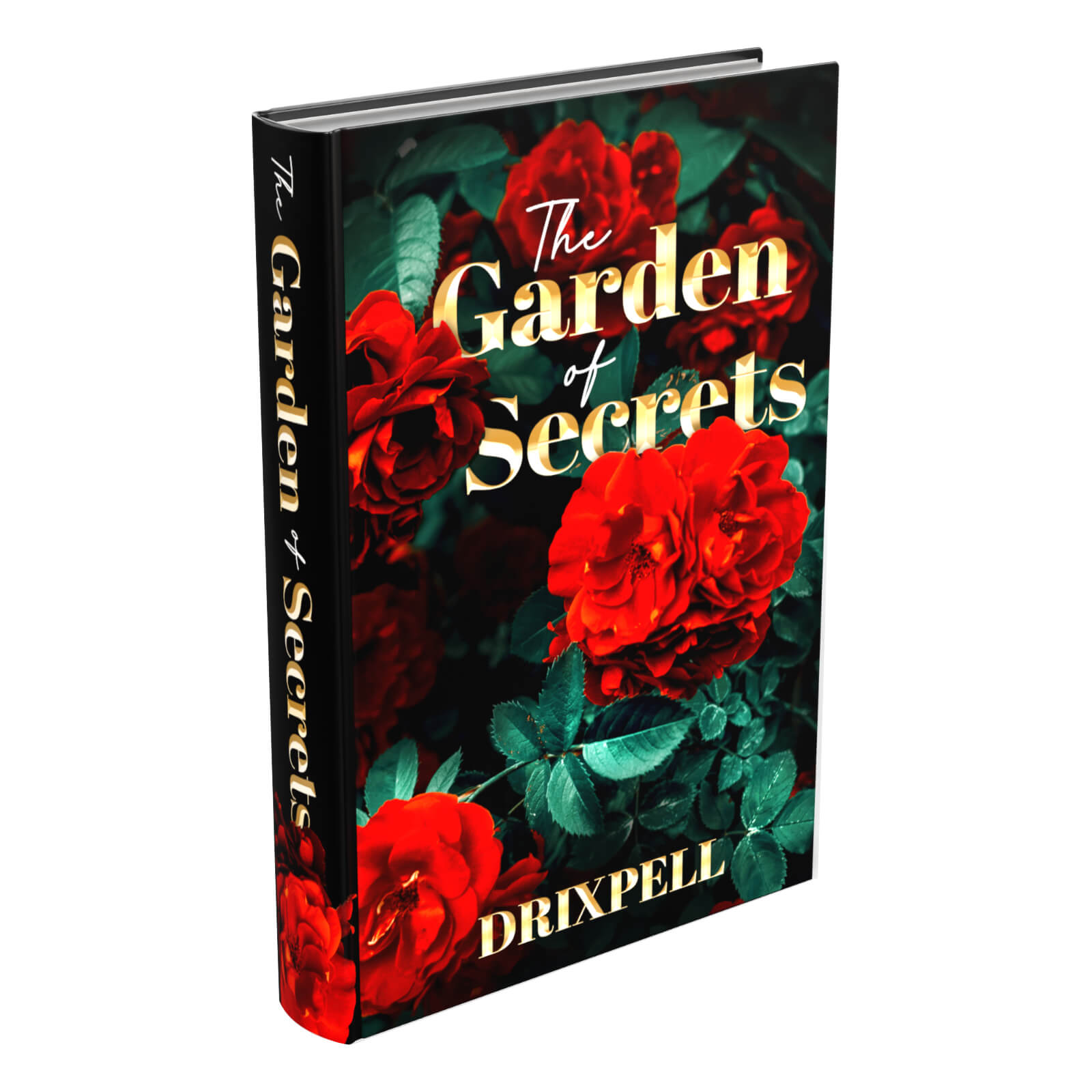
In this section, I learned a lot about Photoshop effects, and I feel like I am making real progress toward becoming a professional graphic designer, which is one of my goals. I truly enjoy what I do and put a lot of effort into my designs!
Now I am starting the next section of the course, more content coming soon!
Descubre más desde DrixPell
Suscríbete y recibe las últimas entradas en tu correo electrónico.
 DrixPell